10 Ecommerce Email Marketing Automation Flows to Set Up
Ecommerce email marketing automation means building emails that send themselves when a shopper acts, such as joining your list, leaving a cart or placing an order. And yes, you can sell through email, because these triggered flows reach people at the moment they show intent. A good flow starts from real buyer behavior and ties to a revenue goal. If you have traffic but a thin list, start with the welcome series and browse abandonment. If you have steady orders, add cart recovery, post-purchase, replenishment and winback. Klaviyo and Omnisend can run every flow below without custom code.
Most stores we see send a newsletter blast and one default cart reminder, then wonder why email stays under 10% of revenue. The missing pieces are the automated sequences that work every day without anyone pressing send. Each flow below has a trigger, a timing window, an email sequence and a metric that tells you whether it works.
At Chromex, we run email and SMS programs for ecommerce brands, and flows are the core of that work. This guide covers the 10 flows worth building, the platforms that run them, and the order to launch them in.
1. Welcome series
A welcome series is an automated run of 3 to 6 emails that starts when someone joins your list and works toward a first purchase. Build it first, because every new subscriber passes through it and it sets the tone for everything after.
The welcome series is the only flow that every single subscriber sees.
How it works
The trigger is a signup from a popup, a checkout opt-in or a lead magnet. Send the first email immediately, then space the rest over about a week. Segment by signup source, since a subscriber from a giveaway needs a different pitch than a shopper who opted in at checkout.
- Trigger: new subscriber
- First send: immediately
- Exit: first purchase or end of the sequence
- Frequency: once per person, for life
Emails to send
A five-email version covers the job without wearing people out. Lead with the offer if you have one, then build trust before you push again.
- Thank you, plus the signup incentive
- Bestsellers with social proof, within 24 hours
- A standalone offer, around 48 hours, if you did not lead with one
- Brand story and what sets you apart, around 72 hours
- How-to content, reviews and customer photos, around day 4
Who it suits and what to track
Every store needs it. It matters most for brands that pay for traffic and capture emails through popups, because each lost subscriber is paid-for attention.
Track click rate, revenue per recipient and time to first purchase. If few subscribers buy in the first week, the offer or the product selection is usually the problem, not the timing.
2. Abandoned cart flow
An abandoned cart flow emails shoppers who added a product to their cart and left without checking out. It is usually the highest-return automation you can build, because Baymard Institute research puts cart abandonment at roughly 70% of online carts.
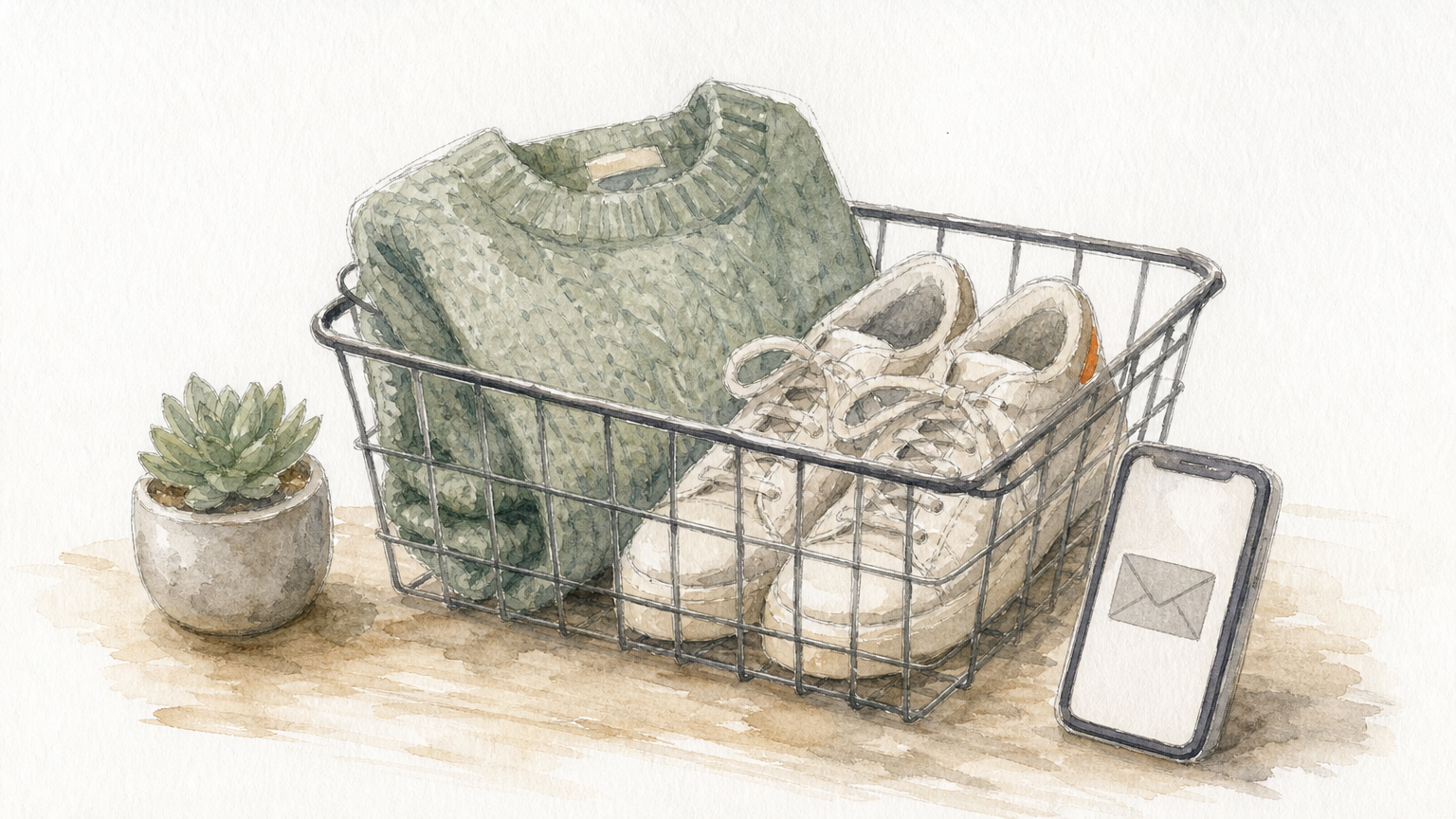
Start the clock within an hour, because purchase intent fades fast.
How it works
The trigger is an "added to cart" event with no order afterward. Send the first email 30 minutes to 1 hour later and run the sequence over about 48 hours. Split by cart value so high-value carts get stronger personalization.
- Trigger: item added to cart, no purchase
- First send: 30 to 60 minutes after abandonment
- Length: 3 to 4 emails
- Exit: purchase, expired cart or item out of stock
Emails to send
Show the real cart contents, with images and prices, from the very first email. Hold the discount back until the third message.
- Cart reminder with the exact items
- Social proof and answers to common objections, within 24 hours
- An incentive such as free shipping or a small discount, around 48 hours
- A final deadline reminder tied to stock or a reward
Who it suits and what to track
Any store with a cart. Measure cart recovery rate and revenue recovered per email sent.
Here is an illustration, not a benchmark. If 1,000 shoppers abandon carts in a month, the average cart is $80 and the flow recovers 5%, that is 50 orders and $4,000. Plug in your own numbers, then test whether the incentive email is needed at all.
3. Checkout abandonment flow
A checkout abandonment flow targets shoppers who began checkout and left before paying. They are a smaller group than cart abandoners, but their intent is stronger, so the emails should be shorter and calmer.
Checkout abandoners need reassurance more than they need a coupon.
How it works
The trigger is a "checkout started" event with no completed order. Send the first email 1 to 2 hours later and finish the sequence within 24 to 48 hours. Make sure a shopper who reaches checkout leaves the cart flow, so nobody receives two reminders at once. Most platforms handle this with a flow filter or exit condition.
- Trigger: checkout started, no order
- First send: 1 to 2 hours later
- Length: 2 emails
- Exit: order completed or entry into another purchase flow
Emails to send
- "Complete your order" with one clear link to the saved checkout and an order summary
- "Need a hand?" answering last-step hesitations: shipping cost, payment options, return policy and a support contact
Who it suits and what to track
Stores with a visible drop-off between checkout start and payment. The usual causes are shipping costs, forced account creation and security worries, so the second email should address those directly.
Track checkout completion rate and recovered revenue. Compare it against your cart flow to confirm the two are not overlapping.
4. Browse abandonment flow
A browse abandonment flow emails known subscribers who viewed products but never added anything to the cart. It catches intent earlier in the funnel than cart recovery, so the tone should be lighter.
Browse abandonment is a gentle nudge, not a sales pitch.
How it works
The shopper must be identifiable, for example by clicking through an earlier email or logging in. The trigger is a product page view with no cart add. Send the first email 1 to 4 hours after the session and exclude recent purchasers. Segment by the category or product viewed.
- Trigger: product viewed, no cart add
- First send: 1 to 4 hours later
- Length: 2 emails
- Exit: cart add or purchase
Emails to send
- A reminder showing the exact product they viewed, with a direct link back
- Related or similar picks, plus light social proof such as a star rating
Skip the discount here. Save it for cart and checkout abandonment, where intent is higher.
Who it suits and what to track
Stores with wide catalogs and a lot of browsing traffic, such as fashion, home goods and beauty. The audience is limited to people you can already identify, so list growth feeds this flow.
Watch click-to-cart rate, conversion rate on the viewed product and revenue per recipient.
5. Post-purchase flow
A post-purchase flow starts when an order is placed. It confirms the sale, sets delivery expectations, helps the customer use the product and lays the groundwork for a second order.
The second purchase is won in the weeks after the first.
How it works
The trigger is a completed order, and the sequence stretches across the delivery window. Segment by product category or order value, since a mattress buyer and a lipstick buyer need different follow-up. Customers exit when they place another order or cancel or refund.
- Trigger: order placed
- First send: immediately
- Length: 3 to 4 emails
- Exit: new order, refund or end of sequence
Emails to send
- Order confirmation. Keep it transactional and do not sell hard.
- Shipping update with tracking, tied to real carrier data where possible
- Usage tips or care instructions, timed to when the product likely arrives
- A feedback request that hands off to your review flow, with a few related items
Who it suits and what to track
Every store, especially those with high support volume or frequent returns, because clear usage tips cut tickets and buyer's remorse. Track repeat purchase rate, time to second purchase and delivery-related support tickets.
6. Winback flow
A winback flow re-engages customers and subscribers who have gone quiet, usually with 3 emails over two to three weeks. It also keeps your list healthy by removing people who no longer want your emails.
A winback flow is part sales tool, part list hygiene.
How it works
The trigger is no purchase or engagement for a set window. Many stores use 60 to 120 days, but set it to your own repurchase cycle. A coffee brand might trigger at 60 days, while a furniture store would wait far longer. Segment by recency, frequency and spend.
- Trigger: inactivity threshold reached
- Timing: spread over 2 to 3 weeks
- Length: 3 emails
- Exit: any engagement or purchase, or suppression after the final email
Emails to send
- A soft "we miss you" check-in with no hard offer
- An incentive tied to what they used to buy
- A final check-in asking whether they still want to hear from you
Who it suits and what to track
Stores with a list that is a year old or more and sizable inactive segments. Suppress people who ignore the final email. Sending to non-responders drags down inbox placement for your whole list.
Track reactivation rate, unsubscribe rate and revenue per recipient.
7. Review request flow
A review request flow asks customers for a review once they have had time to use the product. The goal is to collect reviews and photos that you can reuse in every other flow as social proof.
Time the request to delivery, not to the order date.
How it works
The trigger is an order marked as delivered. Send the request 7 to 14 days later, depending on how long the product takes to show results. Exclude refunded or returned orders and segment by product.
- Trigger: order delivered
- First send: 7 to 14 days after delivery
- Length: 1 to 2 emails
- Exit: review submitted or maximum requests reached
Emails to send
- The request, with the product image and a one-click star rating. Save the written review for the next step.
- A reminder for non-responders, optionally with a small incentive for photo or video reviews
Who it suits and what to track
Stores that win on trust, such as supplements, skincare and higher-priced goods. Review volume also feeds your product pages and the social-proof emails in your cart and welcome flows.
Track review submission rate, number of photo reviews and average rating.
8. Cross-sell and upsell flow
A cross-sell flow recommends a complementary product after a purchase, while an upsell suggests a step up. Both aim to raise average order value without discounting.
Recommend what pairs with the purchase, not what you want to clear out.
How it works
The trigger is a purchase, or repeated engagement with one category. Send the first email 3 to 14 days after the order, once the product has arrived. Segment by the product bought, and base pairings on real "bought together" data when you have it.
- Trigger: qualifying purchase
- First send: 3 to 14 days later
- Length: 1 to 2 emails
- Exit: cross-sell purchase or end of sequence
Emails to send
- A recommendation with a clear reason it pairs well. Someone who bought an espresso machine, for example, gets descaler and filters.
- A reminder with a review or rating if the first email did not convert
Who it suits and what to track
Stores with accessories, refills or natural product families. Stores with unrelated catalog items will struggle to write a relevant recommendation, and should skip this flow.
Track conversion rate, average order value lift and click rate.
9. Replenishment flow
A replenishment flow reminds customers to reorder a consumable just before they run out. It is one of the most reliable ways to turn a single buyer into a recurring customer.
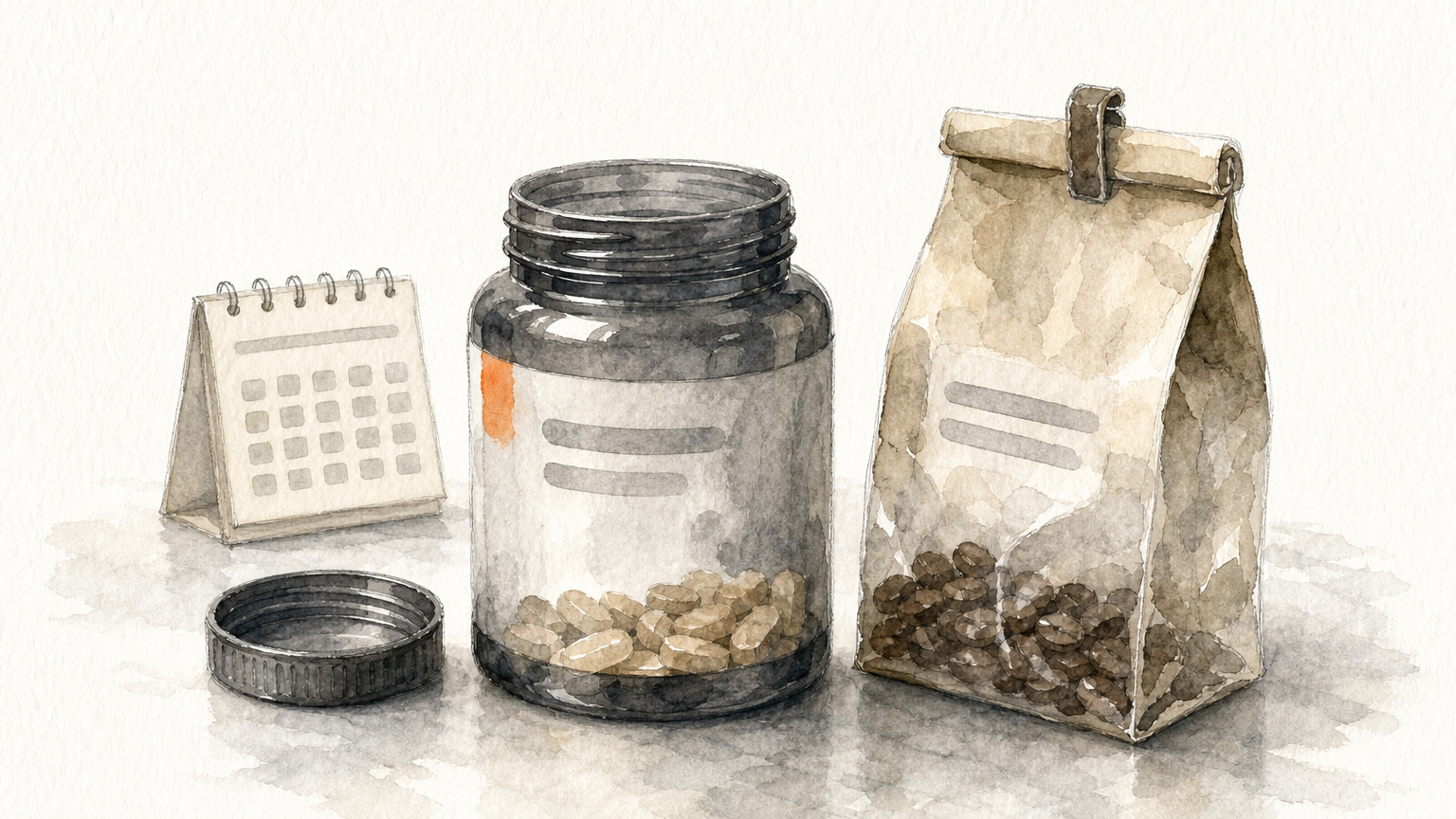
Reorder reminders work because they arrive before the shopper has a problem.
How it works
The trigger is time elapsed since purchase, set to the product's usage cycle. For a 30-day supply, send the first email around day 25. Adjust per product using real usage and reorder data rather than guesses.
- Trigger: expected depletion window reached
- First send: about 25 days into a 30-day supply
- Length: 2 emails
- Exit: reorder, product out of stock or end of sequence
Emails to send
- A reorder reminder for the exact product, with a one-click reorder link
- A subscribe-and-save offer, with the savings clearly stated, for people who have not reordered
Who it suits and what to track
Brands selling supplements, coffee, skincare, pet food and similar goods that run out. If your products last years, skip it.
Track reorder rate, subscription conversion rate and revenue per recipient. If the reminder lands too early, shoppers ignore it, so adjust timing by product.
10. Back-in-stock flow
A back-in-stock flow notifies shoppers the moment a sold-out product returns. These subscribers have already told you what they want, which makes this one of the highest-converting flows.
Speed matters more than polish when a restock alert goes out.
How it works
The trigger is an inventory update on a product that has active alert signups. Send immediately, only to people who requested that specific item or variant. Exit them on purchase, or if the product sells out again.
- Trigger: restock of a waitlisted product or variant
- First send: immediately
- Length: 1 to 2 emails
- Exit: purchase or sold out again
Emails to send
- "It's back," with the product image and a direct purchase link
- A limited-stock reminder, only if stock really is limited and moving fast
Who it suits and what to track
Stores with limited drops, seasonal items or popular sizes that sell out. Add a "notify me" button to sold-out pages so the waitlist exists before the restock.
Track notification-to-purchase conversion, speed to purchase and waitlist signup rate.
Best ecommerce email marketing automation tools
The best platform for most online stores is Klaviyo or Omnisend, because both pull store events such as product views, cart adds and orders directly into flows. Pick Klaviyo for deep data and a large template library. Pick Omnisend if you want an easy editor and ecommerce automations that cost less to start.
The platform matters less than whether it tracks the right events and lets you build exit conditions.
What to look for in a platform
A tool is only as useful as the data it receives from your store. Check these points before you commit.
- Native integration with your store platform, such as Shopify or WooCommerce
- Tracking for viewed product, added to cart, started checkout and placed order
- A visual flow builder with conditional splits and exit conditions
- Ready-made flow templates you can adapt
- SMS inside the same tool, if you plan to add it
- Pricing that scales in a way you can afford as your list grows
Platforms compared
The figures below come from published vendor pricing and review sites. They change often, so confirm them on each vendor's pricing page.
| Platform | Strength for ecommerce | Free option | Paid plans start around |
|---|---|---|---|
| Klaviyo | Deep store data, 70+ flow templates, email and SMS | Free plan: 250 contacts, 500 emails/month | $20/month for 500 contacts |
| Omnisend | Ecommerce-specific automations, simple editor | Free plan: 500 emails/month, 250 contacts | $16/month for 500 contacts |
| Drip | Flexible workflow editor, ecommerce CRM | 14-day trial | $39/month for 2,500 subscribers |
| ActiveCampaign | Powerful automation and built-in CRM, steeper learning curve | 14-day trial | $19/month for 1,000 recipients |
| Brevo | Low cost, billed by emails sent | Free plan: 300 emails/day | $9/month for 5,000 emails |
ActiveCampaign's entry plan limits how many actions an automation can hold, so you will likely need a higher tier for the flows above. Klaviyo gets expensive as lists grow, which is why many smaller stores compare it with Omnisend.
Free email automation tools
Free plans are enough to launch your first flows. Klaviyo and Omnisend both include their automation features on free plans, though the contact and email caps are small. Brevo's free plan caps sends at 300 emails a day.
Use a free plan to prove that a welcome series and cart flow earn money. Upgrade when the caps start blocking your sends.
Where Chromex fits
We work on the major email platforms. Clients often describe us as an elite Klaviyo partner, and we are an official Omnisend partner. Omnisend sign-ups through our link get 20% off the first 2 months, offered as cashback.
Whichever tool you choose, results depend on the flow strategy, copy, design and testing behind it.
Which flows to build first and how to measure them
Build the flows in order of intent: welcome and abandoned cart first, then checkout and browse abandonment, then post-purchase, then the growth flows. Email remains worth the effort in 2026 because you own the list and these flows keep selling without ad spend.
Build the highest-intent flows first, then work outward to loyalty.
Which flows to build first
This table puts the 10 flows side by side, using the timing windows covered above.
| Flow | Trigger | First send | Emails |
|---|---|---|---|
| Welcome series | New subscriber | Immediately | 3 to 6 |
| Abandoned cart | Cart without checkout | 30 to 60 minutes | 3 to 4 |
| Checkout abandonment | Left checkout | 1 to 2 hours | 2 |
| Browse abandonment | Viewed product, no cart add | 1 to 4 hours | 2 |
| Post-purchase | Order placed | Immediately | 3 to 4 |
| Winback | 60 to 120 days inactive | At threshold | 3 |
| Review request | Order delivered | 7 to 14 days later | 1 to 2 |
| Cross-sell and upsell | Purchase made | 3 to 14 days later | 1 to 2 |
| Replenishment | Usage cycle ends | About day 25 of 30 | 2 |
| Back-in-stock | Product restocked | Immediately | 1 to 2 |
Once these run, extras like birthday emails, VIP rewards and seasonal promotion sequences are easy to add.
A rollout order that works
Launching everything at once makes mistakes hard to trace. Here is the sequence we follow with clients.
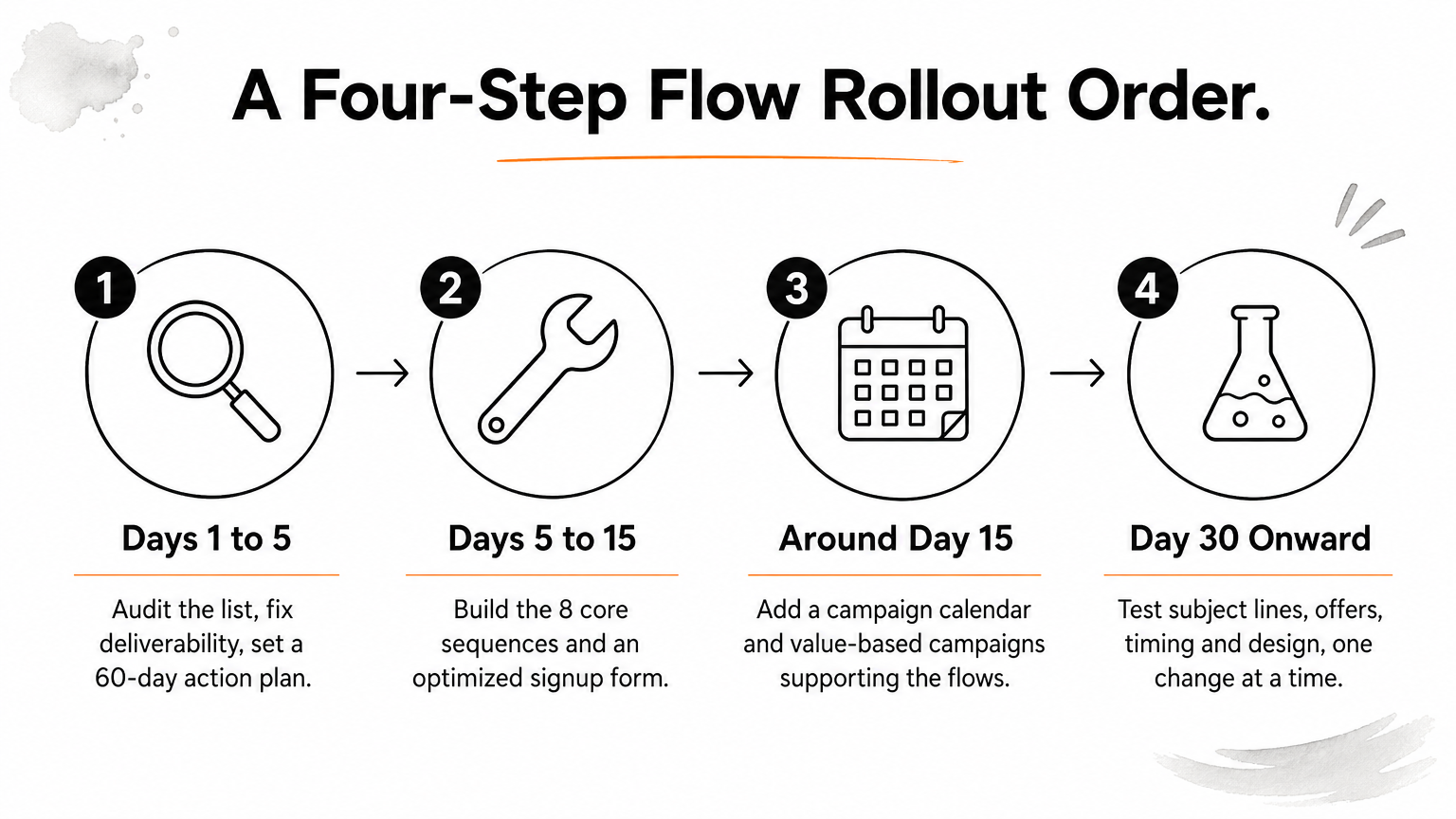
- Days 1 to 5: audit your list, fix deliverability issues and set a 60-day action plan.
- Days 5 to 15: build the 8 core automated sequences and an optimized signup form.
- Around day 15: add a campaign calendar and value-based campaigns that support the flows.
- Day 30 onward: test subject lines, offers, timing and design, one change at a time.
Metrics that show a flow is working
Judge each flow on revenue first and engagement second. Review them monthly or quarterly, and change one variable at a time so you know what caused a shift.
- Revenue per recipient for every flow
- Conversion rate and click rate by email in the sequence
- Cart and checkout recovery rate for abandonment flows
- Repeat purchase rate and time to second purchase for post-purchase
- Reactivation and unsubscribe rates for winback
- Share of total store revenue from email overall
Start with the flows that earn first
Ecommerce email marketing automation works because every flow answers a moment of intent: a signup, a cart, a delivery, a quiet month. Build the welcome and cart flows first, add the rest in order of intent, and measure revenue per recipient before you tweak the design. Choose a platform that tracks store events cleanly, and start on a free plan if you are testing.
If you would rather have specialists audit your list, build these sequences and keep testing them, see how Chromex builds email flows for ecommerce brands.