Email Automation Examples: 10 Flows Every Store Should Run
The best email automation examples share three traits: they fire on something a customer did, they ask for one clear next step, and they stop the moment the customer acts. For an online store, start with the welcome series and abandoned cart emails, which suit almost every brand. Add browse abandonment if you have a big catalog and steady traffic, replenishment reminders if you sell consumables, and win-back and VIP flows once you have repeat buyers.
If you are staring at a blank flow builder, the tool is rarely the problem. The hard part is knowing which automations to build, in what order, and what each one should say. This article walks through ten ecommerce email flows. Each comes with its trigger, a sample email sequence with timing, and the numbers worth watching, so you can copy the structure and adapt it to your store.
We build and manage these flows for ecommerce brands at Chromex Marketing. First, a quick look at how automation works. After the list, you will find a practical way to set up your first flow.
How email automation works
Email workflow automation sends a message when a customer does something, or stops doing something, without anyone pressing send. You set the rules once, and the platform applies them to every customer, around the clock.
Triggers, waits, splits and actions
Every automation, often called a flow, is built from four parts. A trigger starts it, such as a sign-up, a started checkout or an order. A wait adds a delay, such as an hour or two days. A split checks a condition, such as whether the person has bought yet. An action sends an email, adds a tag or sends a text.
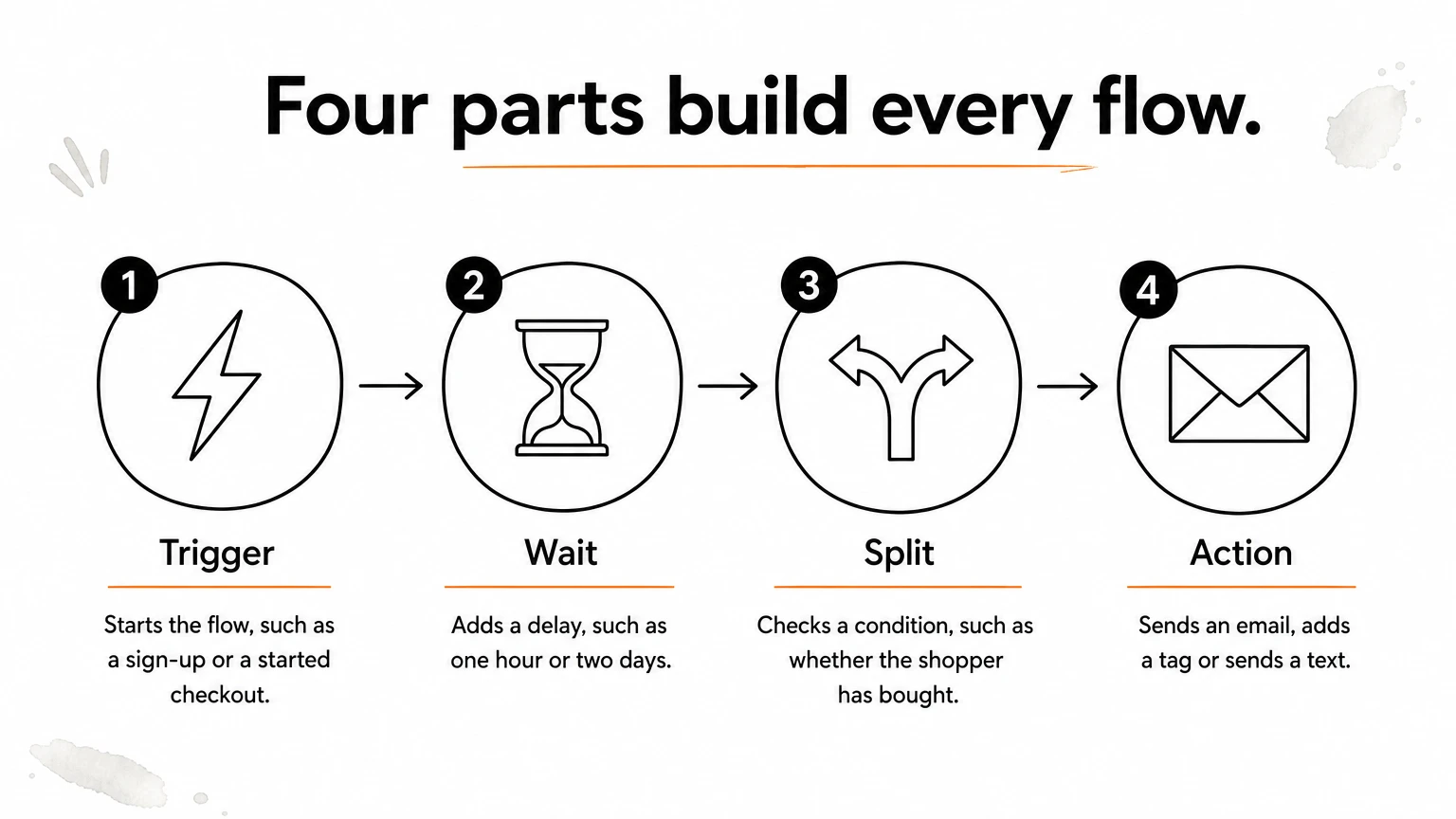
Here is a simple abandoned cart flow written in those parts:
Trigger: the shopper starts checkout.
Wait: one hour.
Split: has the shopper placed an order? If yes, exit the flow.
Action: send the first reminder email.
Wait one day, split again, then send the second email.
Flows versus campaigns
Flows are automations, and campaigns are one-off sends. You need both, but they do different jobs. Klaviyo's benchmark data shows flows earning up to 30x more revenue per recipient than campaigns. Its abandoned cart average of $3.65 per recipient compares with $0.11 for a standard campaign. The reason is timing: a flow reaches someone right after they show interest.
Automated flow | Campaign | |
|---|---|---|
Sent when | A customer acts | You pick a date |
Audience | One person at a time | A segment or the whole list |
Runs | Always on | Once |
Best for | Welcome, cart recovery, reorders | Launches, sales, newsletters |
Main metric | Revenue per recipient | Revenue per send, click rate |
SMS can sit inside the same flows, but email consent does not cover texting. A subscriber has to opt in to SMS on its own.
Flows respond to what a customer just did, while campaigns announce what you want to say.
1. Welcome series
What it is and when it fires
A welcome series is a short run of emails that starts the moment someone joins your list. Its job is to introduce your brand and earn the first purchase. Klaviyo's benchmarks put the average welcome flow at $2.65 per recipient, and the top 10% of stores reach a 10.53% placed order rate.
Trigger: a new subscriber from a sign-up form, popup or checkout opt-in
Exit: the contact places an order
Channel: email, plus SMS only if the person opted in to texts separately
Example sequence
Space four emails over about a week. Send the first one immediately, because sign-up intent fades fast.
Immediately: deliver the welcome offer and say who you are.
Day 2: show your bestsellers and a few customer reviews.
Day 4: tell your brand story or answer the top objections, such as shipping, returns and sizing.
Day 6: remind them that the welcome offer is about to expire.
Who it suits and what to track
Every store needs this flow, and it should be the first one you build. If you add 500 subscribers a month, the benchmark average implies about $1,325 a month from this flow alone (500 × $2.65). Track placed order rate, revenue per recipient and unsubscribe rate.
Branch by sign-up source once the basics work. Someone who joined through a product quiz should hear different things than someone who joined at checkout, and a returning customer should skip the intro entirely.
A welcome series gets the first and warmest attention a subscriber will ever give you, so build it before anything else.
2. Abandoned cart emails
What it is and when it fires
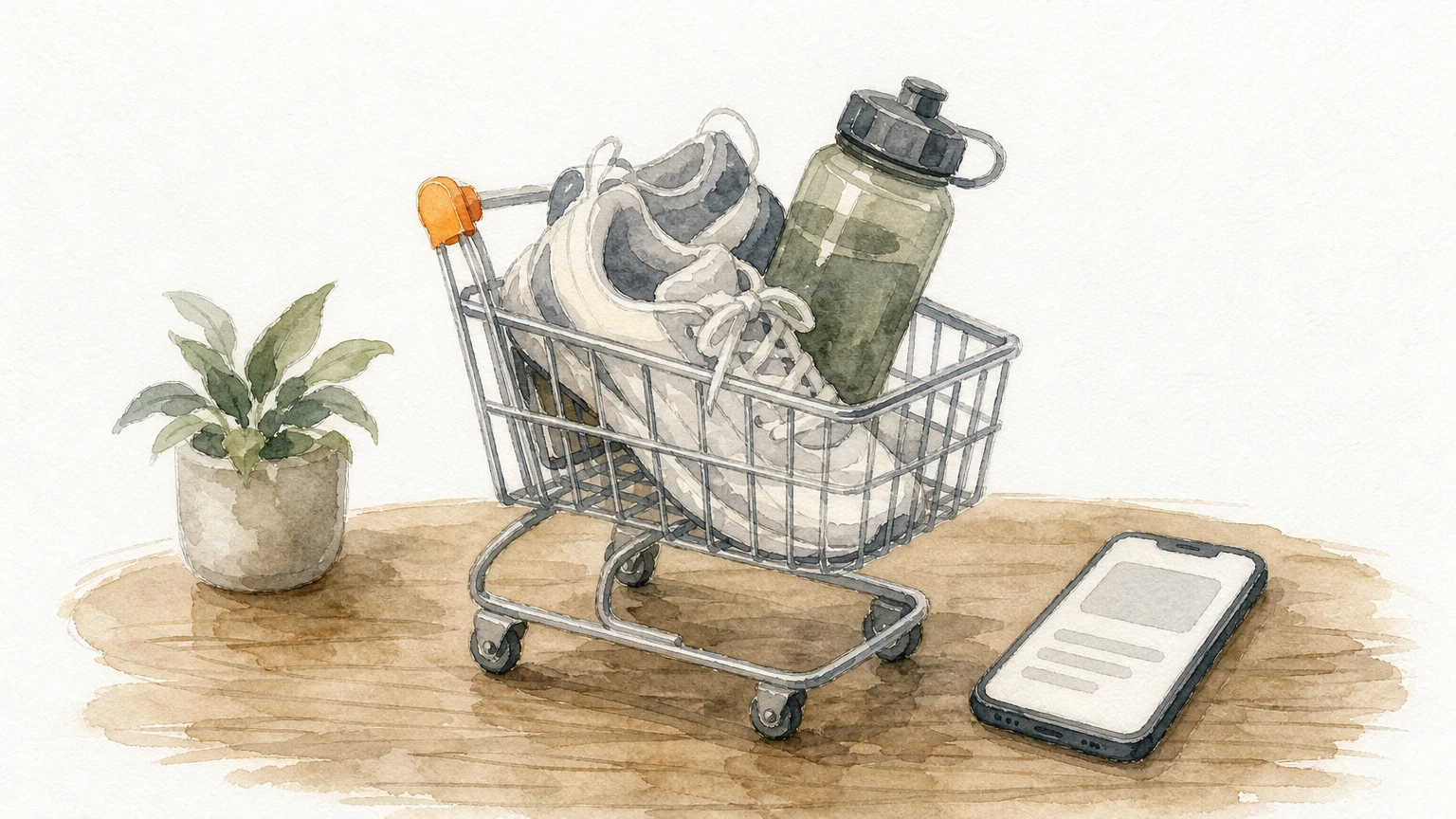
An abandoned cart flow emails shoppers who started checkout but never paid. It is usually your highest-earning automation. Klaviyo's benchmarks show an average of $3.65 per recipient, the top figure for any flow.
Trigger: checkout started, or item added to cart, with no order
Exit: order placed
Watch out: filter people out of browse abandonment once they reach this flow, so nobody gets both
Example sequence
Three emails over about three days is enough for most stores. Lead with help, not a discount.
After 1 hour: show the cart contents with product images and a link straight back to checkout.
After 24 hours: answer the objections, with shipping times, return policy and a couple of reviews.
After 48 to 72 hours: send a last reminder, with an incentive only if the cart is above your average order value.
Who it suits and what to track
Any store with a checkout can run this. Say you have 2,000 abandoned checkouts a month, a $70 average cart and a 5% recovery rate. That is 100 orders and $7,000 a month (2,000 × 5% × $70) recovered without extra ad spend. The 5% is an assumption for the example, so measure your own rate.
Track recovery rate, revenue per recipient and how much margin your discounts give away. Tiering the incentive by cart value stops you paying a coupon to people who would have bought anyway.
Your abandoned cart flow should recover revenue, not train shoppers to wait for a coupon.
3. Browse abandonment emails
What it is and when it fires
Browse abandonment emails go to a known visitor who viewed a product but never added it to the cart. It is a lighter intent signal than an abandoned cart, so the email should be lighter too. Klaviyo's benchmarks show an average click rate of 5.48%, higher than most other flows.
Trigger: a product page view by an identified visitor
Exit: item added to cart or order placed
Requirement: on-site tracking installed, and a visitor you can recognize, such as a subscriber who clicked through from an email
Example sequence
Keep this flow short. One or two emails is plenty, and skip the discount at this stage.
2 to 4 hours later: show the product they viewed, one line on its main benefit, and three similar items.
Next day, optional: show reviews or customer photos for that product.
Who it suits and what to track
This flow suits stores with large catalogs and paid traffic, where many visitors look around without buying. Track click rate, revenue per recipient and how many people the flow actually reaches. If volume is tiny, check that your tracking snippet fires on every product page.
Set a frequency rule. Nobody should receive this email more than once every few days, and nobody should get it within a day of another marketing email. Browse flows that ignore frequency caps quickly annoy your best subscribers.
Browse abandonment works when it feels like a nudge, so keep it short and leave the discount out.
4. Post-purchase onboarding emails
What it is and when it fires
A post-purchase series follows a customer from order to first use. It is the ecommerce version of an onboarding sequence: you help a new buyer get value from what they bought. Attention is high here, and Klaviyo's benchmark open rate for post-purchase flows is 61.68%, the highest of any flow.
Trigger: order placed, then shipped, then delivered
Exit: none, but branch out refunded orders
Compliance: keep order and shipping notices purely transactional. The FTC's CAN-SPAM guide explains how a message's primary purpose sets its category
Example sequence
Split the series into transactional emails and marketing emails, and time the marketing ones from delivery, not from the order.
Order placed: confirmation with order number, items and expected timeline.
Shipped: tracking link and what to expect.
2 days after delivery: setup steps, care instructions or a short how-to video.
10 to 14 days after delivery: complementary products based on what they bought.
Who it suits and what to track
Every store benefits, but products that need technique pay off most, such as skincare, coffee gear and supplements. If you sell software or subscriptions, the pattern is the same. Tie the steps to first-use milestones instead of delivery.
Track click rate on the cross-sell email, second-order rate within 60 days and support tickets about product use. A drop in "how do I use this" tickets is a quiet sign the series is working.
A good post-purchase series makes the second order easier before the customer ever thinks about it.
5. Review and feedback requests
What it is and when it fires
A review request asks for feedback after the product has arrived and been used. It builds social proof for the next shopper and warns you early about unhappy customers. Trigger it from delivery, not the order date, because a request that lands before the parcel is wasted.
Trigger: fulfillment marked delivered, plus a wait
Exit: review submitted
Support link: send everyone the same request, and have your team reply fast to low scores
Example sequence
Time the first ask to how long the product takes to show results. Seven days after delivery suits most goods, and consumables like skincare may need longer.
7 days after delivery: a short request with a one-click star rating.
4 days later, if no review: a shorter reminder.
After a review: a thank-you with a product suggestion.
Who it suits and what to track
Stores with thin or no reviews gain the most, and so do stores where customer photos help sell the product. You can reward photo reviews with a small perk. Reward the act of reviewing, never a positive rating. Incentives tied to good scores are unfair to shoppers and risky for you.
Track review submission rate and the share of reviews with photos. Then feed your best reviews back into the welcome series and abandoned cart emails, where they do the most work.
Ask for the review when the customer has actually used the product, not when you have just taken the payment.
6. Replenishment reminders
What it is and when it fires
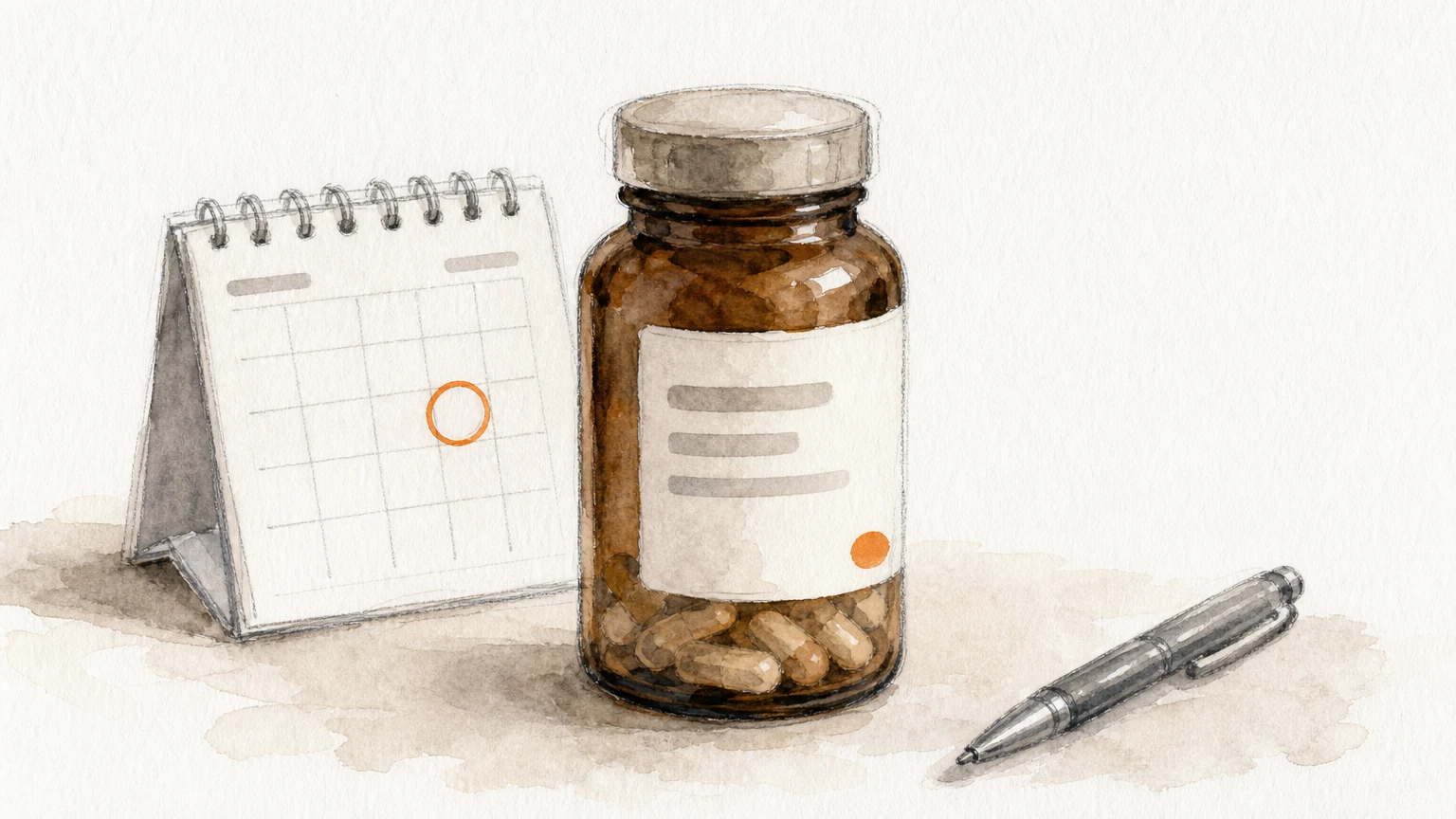
A replenishment reminder emails a customer just before a consumable runs out. It turns a one-off buyer into a repeat buyer without a discount. The trigger is a number of days since purchase, set per product.
Trigger: days since purchase of a specific product
Exit: reorder placed
Setup: one timeline per product, since a 30-day supply and a 90-day supply need very different timing
Example sequence
For a 30-day product, send the first reminder around day 22 so the order arrives before the bottle is empty.
Day 22: "running low" email with a one-click link to reorder the same item.
Day 28: a shorter reminder.
Day 40, if no order: ask whether they want a different size or offer a subscription.
Who it suits and what to track
Coffee, supplements, skincare, pet food and cleaning products are natural fits. To find the right timing, pull the median days between first and second order for each product in your store data. Many platforms can also predict the next order date for each customer, which beats a fixed delay.
Track repeat purchase rate, days between orders and subscription conversion. If the reminder consistently lands after people have already reordered, move it earlier.
Send a replenishment reminder while the customer still has a few days of product left, not after they have run out and gone elsewhere.
7. Back-in-stock alerts
What it is and when it fires
A back-in-stock alert tells a shopper the moment a sold-out item returns. These subscribers have already told you they want it, which makes this one of the highest-intent emails you can send. It also gives you demand data for your next inventory order.
Trigger: inventory returns for an item the subscriber requested an alert on
Exit: purchase
Requirement: an inventory feed from your store into your email platform
Example sequence
Keep this flow to two emails. Urgency only works if it is true, so mention low stock only when stock really is low.
At restock: the product, one strong image and a buy button.
24 to 48 hours later, if unpurchased: a short reminder with current stock status.
Who it suits and what to track
Stores with limited drops, seasonal items or sold-out bestsellers get the most from it. For your biggest sellers, also send a campaign to the broader list when they return, since the flow only reaches people who asked.
Track alert sign-ups per product, conversion rate on the alert email and time to sell through. A product with hundreds of alert sign-ups and a thin reorder is a clear signal to buy deeper.
Every back-in-stock sign-up is a customer telling you what to reorder.
8. Win-back emails
What it is and when it fires
A win-back flow reaches customers who have stopped buying. Set the trigger as a multiple of your normal reorder gap. One and a half times the usual gap is a common starting point. The flow also protects your deliverability, because it ends by removing people who never engage.
Trigger: time since last order passes your threshold
Exit: the customer places an order or clicks a link in the flow
Final step: suppress anyone who ignored every email
Example sequence
Four emails over three weeks work well, and the incentive should come last, not first.
Day 0: what is new since their last order.
Day 7: your bestsellers, plus a one-line question about what stopped them buying.
Day 14: a time-limited incentive.
Day 21: a last call, then suppress non-openers from future sends.
Who it suits and what to track
Stores with a large lapsed list gain the most. Mailing people who never open drags down your sender reputation, which can push all your emails toward the spam folder. Track reactivation rate, unsubscribes and spam complaints together.
A win-back flow that reactivates 3% of the lapsed list and cleans out the rest is doing two jobs at once. Treat the clean-up as a feature, not a failure.
A win-back flow either brings a customer back or tells you to stop emailing them, and both results are worth having.
9. VIP and loyalty emails
What it is and when it fires
A VIP flow recognizes your best customers with perks that cost less than blanket discounts. A customer enters a VIP segment after crossing a threshold, such as a third order or $300 in lifetime spend. The segment should update itself, so people move in and out as behavior changes.
Trigger: profile meets the VIP rule
Exit: none, since VIP status is ongoing
Perks: early access, free shipping or a small gift
Example sequence
The flow itself is short. Most of the value comes from campaigns sent to the VIP segment over time.
Immediately: confirm VIP status and spell out what it includes.
Before each product launch: early access, sent as a campaign to the segment.
60 to 90 days with no order: a personal note and a perk.
Who it suits and what to track
Stores with repeat buyers and a healthy average order value get the most from it. Early access costs you nothing, and free shipping thresholds lift order size without cutting prices. Set the threshold so that roughly your top 5 to 10% qualify, then adjust.
Track VIP share of revenue, orders per VIP per year and how those compare with non-VIP customers. If VIPs order no more often than everyone else, the perk or the threshold needs work.
Treat your best customers as a segment with its own emails, not as people who happen to be on the same list.
10. Birthday and anniversary emails
What it is and when it fires
Birthday and anniversary emails mark a date the customer cares about, and they give you a natural reason to send an offer. The trigger is a date property on the profile. For anniversaries, the date of the first order is already in your data.
Trigger: birthday date property, or the anniversary of the first order
Exit: offer redeemed
Data capture: ask for birth month and day in the sign-up form or welcome flow, and skip the year
Example sequence
Make the offer valid for the whole birthday month. A window beats a single day, since few people check email on exactly the right morning.
7 days before: a gift or offer, valid through the month.
On the day: a short, warm note with the offer repeated.
5 days before the offer expires: a reminder.
Who it suits and what to track
Gifting, beauty and fashion stores see the strongest response, but any brand with a loyal base can use it. Because it needs an extra data field, start collecting dates early. A flow with no birthday data fires for nobody.
Track opt-in rate on the date field, redemption rate and revenue after the discount. If redemptions are high but margin is thin, swap the percentage for free shipping or a small gift.
A birthday email only works if you asked for the date at sign-up, so add that field before you build the flow.
How to set up your first email automation
Start with one platform, then build the flows in order of revenue impact and test each one before adding the next.
Choose a platform that fits your store
Pick email marketing software for ecommerce that connects to your store, tracks on-site behavior and lets you build splits without code. We work in Klaviyo and Omnisend, and both handle every flow in this article. Whichever you choose, check these points before you commit, because migrating flows later is slow:
Native integration with your store platform
On-site tracking for browse and cart events
A visual builder with conditional splits and exit rules
SMS in the same account if you plan to text
Revenue reporting per flow, not only opens and clicks
Build in a sensible order
Build the flows that touch the most revenue first: welcome series, abandoned cart, post-purchase, then browse abandonment, win-back and the rest. At Chromex, the same logic drives our process, which runs in four stages:
Stage | Timing | What happens |
|---|---|---|
Analyze | Days 1 to 5 | Email audit, deliverability fixes, competitor insights, 60-day action plan |
Create | Days 5 to 15 | Build of the 8 core automated sequences and a sign-up form |
Kickoff | Around day 15 | Campaign calendar and value-based campaigns that support the flows |
Optimize | Day 30 onward | Mass testing across the email system |
Design matters as much as sequence. We design emails without templates, so they match the brand and stand out in the inbox.
Test, measure and avoid common mistakes
Judge each flow on revenue per recipient, not open rate. Mail privacy features such as Apple Mail Privacy Protection inflate opens, so they say little about real interest. Test one variable at a time, such as a subject line, a wait time or an offer, and give each test enough sends to mean something. Watch for these mistakes:
Overlapping flows that hit the same person at once
Flows with no exit condition, so buyers keep getting "come back" emails
A discount in every flow
Sending to disengaged contacts until deliverability suffers
Build one flow, measure it for a few weeks, fix it, and only then build the next.
Start with the flows that earn first
The strongest automations respond to a customer's own behavior, send one clear next step and stop when the customer acts. For most stores, that means a welcome series, an abandoned cart flow and a post-purchase series first. Browse abandonment, review requests, reorders, win-back, VIP and birthday emails come after, each tested on its own before the next goes live. Use the sample sequences above as starting points, then change the timing to match how your customers actually buy.
If you would rather have specialists build and tune these flows for you, book a strategy call with Chromex.