Email Welcome Series Examples: 6 Emails and Their Timing
An email welcome series is an automated run of four to six emails that starts the moment someone joins your list and wraps up within about ten days. A good one gives every email a single job: deliver the offer, tell your story, show bestsellers, answer doubts, remind, and close. Stores that lead with a first-order discount will lean on emails 1, 5 and 6. Stores selling higher-priced or harder-to-choose products will get more from emails 2, 3 and 4.
Most stores get this wrong in one of two ways. They send a single "thanks for subscribing" email and stop, or they send a string of pitches that all say the same thing. Interest peaks at signup and fades within days, so the order and timing of your emails matter as much as the copy.
This guide gives you six emails with sample copy, a send schedule you can copy, setup rules for the automation, benchmarks, and the mistakes to avoid. At Chromex Marketing we build lifecycle flows for DTC ecommerce brands, and we put the right automations and lifecycle foundations in place first.
Why a welcome series beats a single welcome email
A welcome series beats one email because a single message cannot deliver the offer, build trust, answer doubts and ask for the sale. A sequence gives each job its own email while the subscriber is still paying attention.
A welcome series is the one flow where your subscriber is paying the most attention, so it should do the most work.
What the series does that one email cannot
Think about what a new subscriber wants in the first few minutes. They want the code or perk you promised. Email one has to deliver it, and that leaves no room to explain who you are, show products or handle hesitation. A single welcome email also ends the conversation just as it begins.
Timing works in your favor too. Interest in your brand is at its highest at signup and fades quickly after that. A series keeps showing up with something useful during the days when people decide. Many email marketers work from a rule of thumb that most first purchases from new subscribers happen within about 10 days of signup. Check the time-to-first-purchase data in your own platform before you lock in your schedule.
Benefits you can expect
The benefits of a welcome email series go beyond the first sale. Because it is automated, you build it once and it works for every new subscriber from then on. Here is what a well-built series gives you:
- Faster first orders. You reach buyers while intent is high instead of waiting for your next campaign.
- Better customer data. Clicks on interest links and preference answers tell you what each person wants.
- Earlier trust. You set expectations for frequency and value in the first email, which cuts surprise unsubscribes.
- Healthier engagement signals. Early opens and clicks tell mailbox providers that people want your email.
- Less dependence on paid traffic. A larger share of the visitors you already paid for convert from the list.
How many emails to send and when to send them
Send four to six emails over seven to ten days. The first goes out immediately and the rest follow one to three days apart. Use the low end for cheap, quick decisions and the high end for higher prices or products that need explaining.
Match the length of your series to how long your customer takes to decide, not to a number you read online.
How many emails your series needs
Published guidance clusters between three and six emails, and some platforms suggest starting with two to four. The right count depends on how much your buyer needs to believe before they order. Use this table as a starting point.
| Product type | Emails | Series length | Why |
|---|---|---|---|
| Low price, impulse buys (accessories, snacks) | 3 to 4 | 3 to 5 days | The decision is quick, so more emails just add noise |
| Mid price, some comparison (apparel, skincare) | 5 to 6 | 7 to 10 days | Buyers need proof and a few answers |
| High price or considered purchase (furniture, tech) | 6 or more | 10 to 14 days | Research takes longer and trust takes more touches |
The six-email series below fits the middle row. To shorten it, merge emails 2 and 3, and merge emails 5 and 6.
A send schedule you can copy
Count days from the moment of signup. Each email gets one primary call to action, and anyone who orders leaves the series.
| # | Send | Main call to action | |
|---|---|---|---|
| 1 | Welcome and promised offer | Immediately | Shop with your code |
| 2 | Brand story and preference question | Day 1 | Pick an interest |
| 3 | Bestsellers and social proof | Day 3 | Shop bestsellers |
| 4 | Education and objection handling | Day 5 | Get your answers, then shop |
| 5 | Offer reminder | Day 7 | Use your code before it expires |
| 6 | Last call | Day 9 | Shop now or join SMS |
When to stretch or shorten the gaps
Keep the gaps tight enough that the emails read as one conversation. Four or more days between emails makes them feel unrelated. Adjust the schedule for your situation:
- Shorten the gaps for hot leads, sale periods and low-price products.
- Stretch the gaps when buyers need time to try, compare or ask someone else, as with high-price items.
- Pick one consistent send time, such as mid-morning in the subscriber's time zone, and test it against another.
1. The welcome and promised offer email
Email one hands over what you promised at signup and tells the subscriber what happens next. It gets the most attention of any email in the series, so keep it simple.
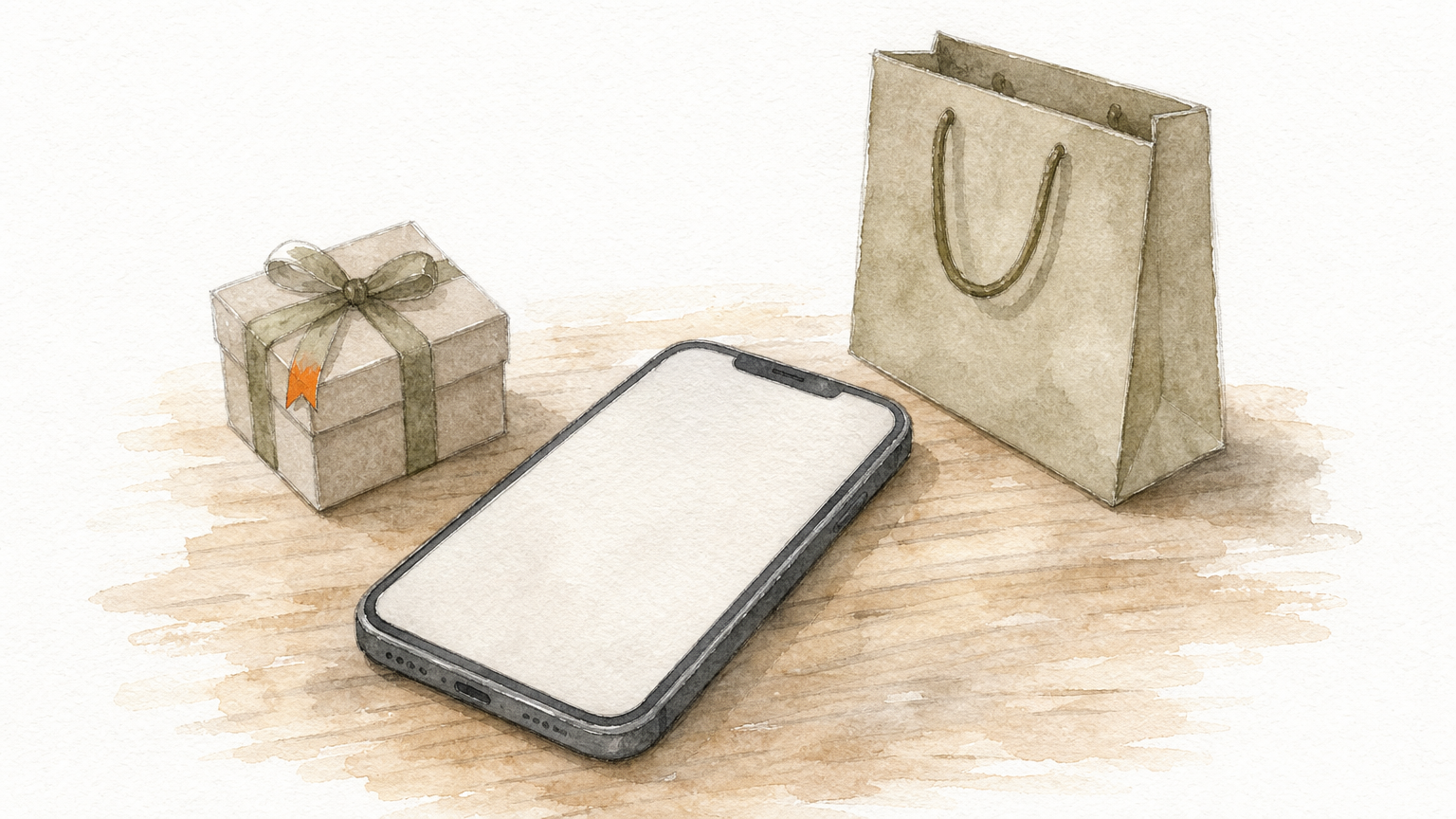
The first email has one job: give people the thing they signed up for.
What this email does
Put the promised code or perk on the first screen, in a button or large text. Subscribers who have to hunt for it lose trust fast. Follow it with one sentence about what you sell and one about what to expect, such as how often you will email.
Keep the email to one primary call to action. A secondary link to bestsellers is fine, but the offer button leads. If you promised a non-discount perk such as early access or a guide, deliver that in the same prominent way.
What to write
Subject: Welcome to [Brand]. Here is your 10% off
Preview: Your code [CODE] is ready to use

Hi [First name],

Thanks for joining [Brand]. Your first-order code is below.

[CODE] = 10% off your first order
[Button: Shop now]

What to expect from us: [number] emails a week. New
arrivals, restocks, and the occasional subscriber-only offer.
Reply any time. A real person reads every message.
When to send it
Send it immediately, triggered by the signup itself. If you use double opt-in, trigger it on confirmation instead. Never batch it into a daily send. Before launch, sign up with a fresh address and time how long the email takes to arrive. A slow trigger wastes your best moment.
2. The brand story and preference email
Email two tells your story in about three sentences and asks one question that sorts subscribers by interest. Send it a day after email one.
Keep the story short and the question easy, because the click is the real product of this email.
What this email does
Skip the full about page. Share why the brand exists, one thing that makes it different, and what that means for the customer. Start with the benefit to the reader. Founder background comes second.
Then ask one question where each answer is a link, such as "What are you shopping for?" Every click is a signal you can act on. It tags the subscriber and lets you change the product blocks in email three. Clicks are also more reliable than opens as a branching signal, which the automation section explains.
What to write
Subject: Why we started [Brand]
Preview: And one quick question for you

Hi [First name],

[Founder name] started [Brand] because [one-sentence problem].
That is why every [product] we make [one concrete difference].

So we can send you the right things: what are you shopping for?

[Link: Skincare]  [Link: Hair]  [Link: Gifts]
When to send it
Send it about 24 hours after email one. The gap gives people time to use the code without double-sending on day zero. Anyone who ordered after email one should skip ahead, and the automation section covers how to set that up.
3. The bestsellers and social proof email
Email three shows three to six top-selling products backed by real customer words. A short list of proven items lowers the effort of choosing.
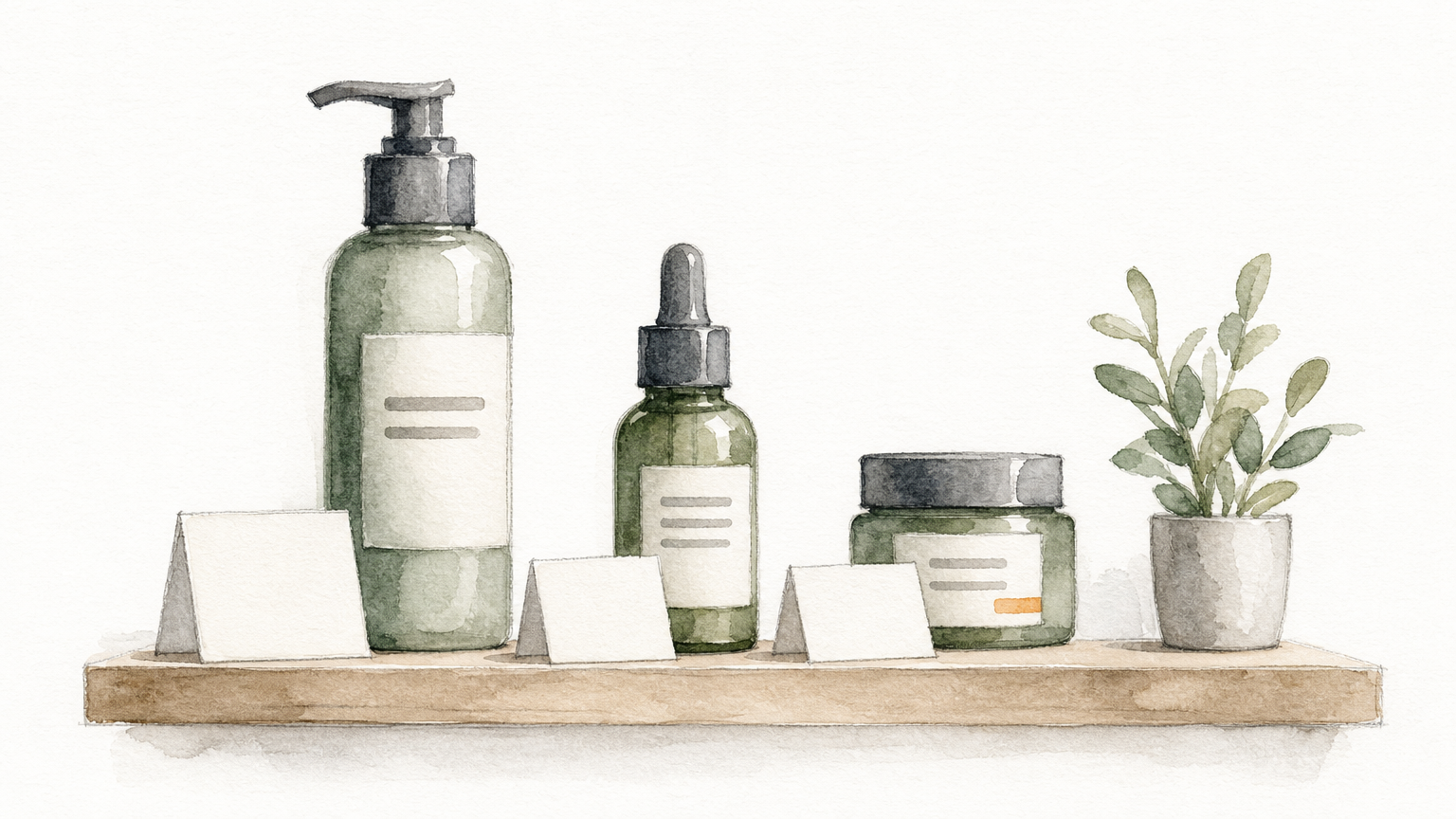
People buy what other people already trust, so lead with proof before features.
What this email does
Use a dynamic product block that pulls your current bestsellers. Pair each product with a star rating or a one-line review. If the subscriber clicked an interest in email two, show that category first so the email feels chosen for them.
Real customer reviews and photos do most of the work. If you lack reviews, use facts you can verify, such as restock history or press mentions. Never invent proof. A weak but honest email beats a polished false one.
What to write
Subject: What customers reorder most
Preview: Our top-rated picks, with reviews

Hi [First name],

Not sure where to start? These are the products our
customers come back for.

[Product 1 image] [Name] [Star rating]
"[One-line customer review]" [Button: See it]

[Product 2 image] [Name] [Star rating]
"[One-line customer review]" [Button: See it]

[Product 3 image] [Name] [Star rating]
"[One-line customer review]" [Button: See it]

[Link: Shop all bestsellers]
When to send it
Send it on day 3, two days after email two. The longer gap gives subscribers time to browse on their own. Exclude buyers so nobody who has already ordered gets a "start here" message.
4. The education and objection-handling email
Email four answers the question that stops people from buying, such as shipping time, fit, ingredients or returns. Find those questions in your support inbox and your product reviews.
The email that removes a doubt often sells more than the email that adds a discount.
What this email does
Pick the top three objections and answer each in two sentences with a link to the relevant page. Educational emails matter most for products that take more research, where a confused buyer simply leaves.
State your return policy or guarantee plainly and accurately. Only include promises your store keeps. If subscribers clicked a product in email three without buying, you can add a branch that sends them answers specific to that product.
What to write
Subject: Before you order: 3 quick answers
Preview: Shipping, returns, and how to choose

Hi [First name],

The three questions we hear most:

1. How long does shipping take?
[Two-sentence answer with your real shipping times]

2. What if it is not right for me?
[Two-sentence answer with your real return policy]

3. How do I choose?
[Two-sentence answer + link to guide or size chart]

[Button: Shop with confidence]
When to send it
Send it on day 5. By now the subscriber has seen your story and your products, so doubts are the remaining barrier. Keep the offer visible, but let the answers lead.
5. The offer reminder email
Email five reminds non-buyers that the offer expires and gives them a real deadline. A real deadline means the code actually stops working.
A deadline only works if it is real, so make the code actually expire.
What this email does
If your platform supports unique or expiring codes, create a code for each subscriber that expires at the end of day 10. Email five on day 7 says three days remain, and email six on day 9 says one day remains. Fake urgency teaches subscribers that your deadlines mean nothing.
Here is a hypothetical worked example. Say 1,000 people enter the series in a month, and 4% place a first order at a $60 average order value using a 10% code. That is 40 orders. Each order brings in $54 after the discount, so you collect $2,160 in revenue and give up $240 in discounts. Run the same math with your own numbers before you pick the size of the offer.
A discount is not your only lever. Test dollars off against percent off, free shipping, or a gift with purchase. You can also hold back a stronger offer for email five if the first one did not convert, as long as your margins allow it.
What to write
Subject: Your 10% off ends in 3 days
Preview: Code [CODE] expires on [date]

Hi [First name],

Your welcome code is still waiting.

[CODE] = 10% off your first order
Expires: [date]
[Button: Use my code]

Still deciding? Here are two of our most-reviewed products:
[Product 1] [Product 2]
When to send it
Send it on day 7 to non-buyers only. A buyer who gets a reminder for a code they already used loses trust in your system, and nothing damages the relationship faster.
6. The last call email
Email six is a short final reminder that the offer ends tomorrow. It also opens a door to your other channels.
Short beats clever here: state the deadline, show the button, and stop.
What this email does
By now only three kinds of subscribers remain. Some forgot, some doubt the offer, and some were never interested. A short reminder reaches the first group, one testimonial helps the second, and you let the third go. Keep the email under 100 words.
You can also add one soft next step. If you have clear consent, invite subscribers to join your SMS list, or point them to your social accounts. Then hand them off to your regular campaigns, with a tag such as "welcome-complete" so you can see who finished.
What to write
Subject: Last call: your code ends tomorrow
Preview: Use [CODE] before [date]

Hi [First name],

Your 10% off expires tomorrow.

[Button: Shop now]

"[One short customer testimonial]"
[Customer first name], verified buyer

Prefer text updates? [Link: Join our SMS list]
When to send it
Send it on day 9, one day before the code expires, in the morning. Subscribers who opened or clicked nothing across all six emails deserve a lighter cadence afterward, so treat them differently in your campaign segments.
Best practices for every email in the series
Strong welcome series share a few habits: short subject lines, one action per email, personalization from signup context, and clean compliance. Apply these to every email you send in the flow.
Personalize with what the subscriber did, not just what they are called.
Subject lines, copy and design
Subject lines in welcome flows tend to run around seven words, including emojis. Short lines survive the mobile cutoff and are easier to scan. Beyond length, a few rules matter more:
- Front-load the benefit in the first three to five words.
- Use preview text to add information instead of repeating the subject line.
- Use emojis sparingly, only where they strengthen the meaning.
- Design for the phone first, with a real product image and one large button.
- Keep the copy short, ideally under 150 words per email.
Personalization that uses signup context
A first name rarely moves results on its own. The signup source tells you far more. Someone who joined through a giveaway page wants something different from someone who joined through an exit popup offering 10% off, so split them into separate versions or branches.
Beyond source, use the clicks and browsing behavior from the series itself. Interest links in email two, product clicks in email three and pricing page visits all show intent. Use them to swap product blocks and decide who sees a stronger offer.
Compliance and consent
Every commercial email needs a clear way to unsubscribe, an honest subject line and a valid physical postal address. The FTC's CAN-SPAM guide explains the rules, including that opt-outs must be honored within 10 business days.
Texting adds its own requirement: get explicit consent before you send any SMS. This is general information, not legal advice, so check your obligations with a qualified professional.
How to automate the welcome flow
Welcome email automation comes down to three decisions: what triggers entry, what ends it, and what else you suppress while someone is inside. Settle these before you write any copy.
Build the exits before the emails, or buyers will keep getting pitches.
Trigger and entry rules
Your platform does the sending, so your job is to set the rules. This works the same way in Klaviyo and Omnisend. Follow this checklist when you build the welcome series email flow:
- Trigger the flow when someone joins your list through a form, or when they confirm if you use double opt-in.
- Create separate series or branches for each major signup source.
- Exclude existing customers and set re-entry rules so each person goes through the series once.
- Use unique or expiring discount codes if your store supports them.
- Preview every email on mobile and test every link before you turn the flow on.
Exits, suppression and branching
Add a conditional split or flow filter that checks for a placed order before each email. Buyers should leave the welcome series and move into a post-purchase flow. Without that check, a customer receives "use your code" emails for something they already bought.
Also suppress promotional campaigns for new subscribers while they are in the series, usually for about ten days. Otherwise a newsletter lands between email three and email four and confuses the story. When you branch, use clicks instead of opens. Apple Mail Privacy Protection can register an open when nobody read the message, so opens mislead. Keep branches to two or three, and test every path with test profiles.
What to measure and what to expect
Judge your welcome series by revenue per recipient and click rate first, then by unsubscribes and series completion. Treat opens as a rough signal only.
Revenue per recipient tells you what the flow is worth, and clicks tell you why.
Benchmarks to compare against
Klaviyo's 2026 benchmark report gives a useful reference point for welcome emails across industries.
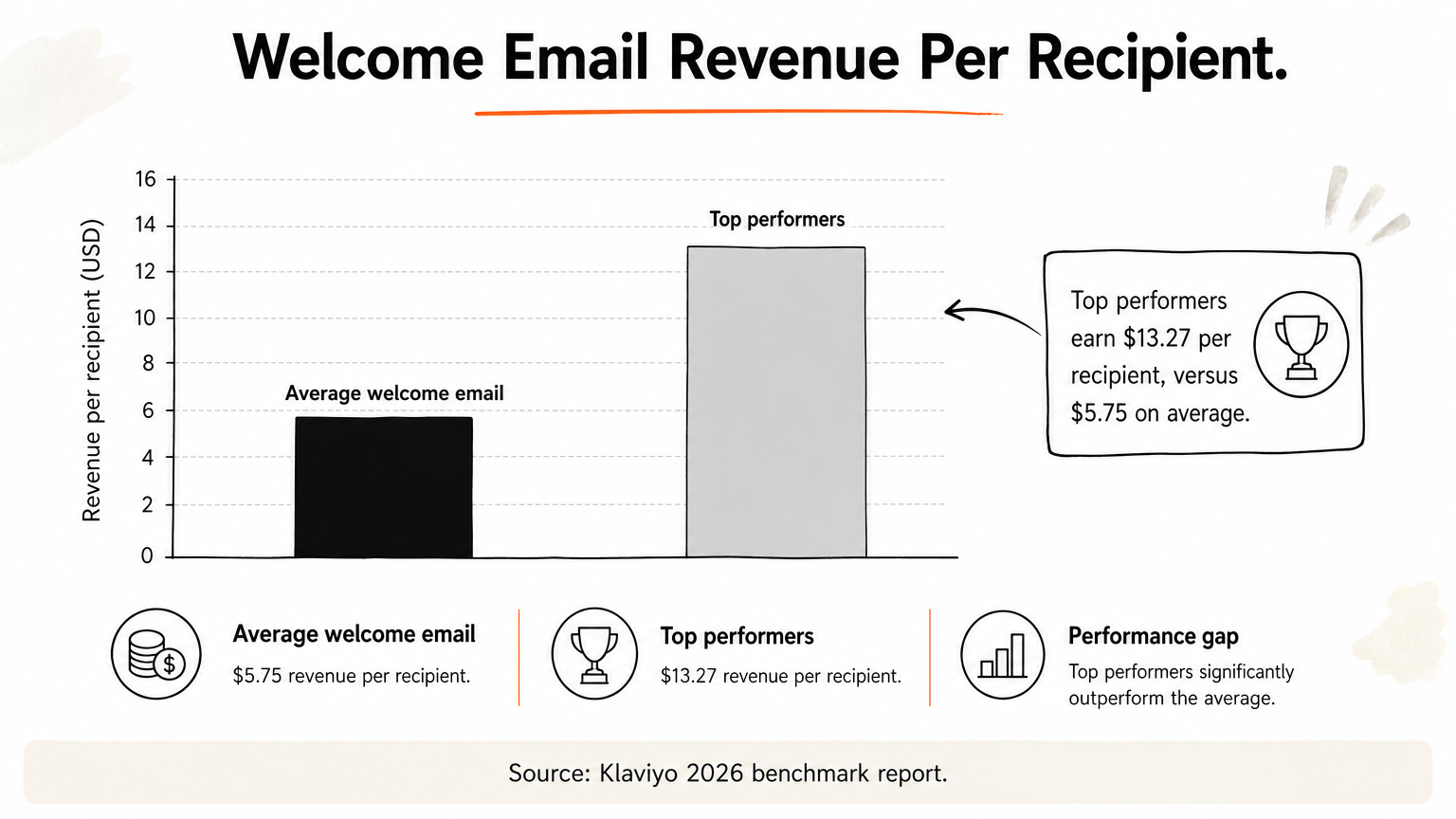
| Metric | Average welcome email | Top performers |
|---|---|---|
| Click rate | 6.5% | 13.3% |
| Revenue per recipient | $5.75 | $13.27 |
Here is a rough planning example. If 2,000 people join your list in a month, an average of $5.75 per recipient works out to about $11,500 in attributed revenue. At the top-performer figure of $13.27, that is about $26,540. These are estimates, because revenue per recipient is measured per email recipient and your category will differ.
Track a few other numbers alongside those two. Watch conversion rate, unsubscribe rate, spam complaints and deliverability. Also check how many contacts reach the last email, and how long first purchases take after signup.
How to improve it over time
Change one thing at a time, or you will not know what worked. A sensible order is offer first, then timing, then subject lines, then series length. The offer tends to move revenue most, while subject lines mostly move opens.
Let each test run until enough subscribers have gone through both versions. Review the flow monthly at first, then each quarter once it settles. When your catalog, shipping policy or offer changes, update the emails, since a stale series quietly loses sales.
Mistakes that weaken a welcome series
The most common mistakes are structural: too many pitches, no exits and overlap with campaigns. Fix these before you polish any copy.
Most weak welcome series fail because of what surrounds the emails, not the copy.
Structure mistakes
These errors come from how the flow is built. Each one is quick to fix once you spot it.
- One series for everyone. Giveaway entrants and discount seekers need different messages.
- No exit condition. Buyers keep getting offers for items they already own.
- Campaigns colliding with the flow. Newsletters interrupt the story and confuse new subscribers.
- A pitch in every email. Spend the first emails earning trust before you push the sale.
- Too many emails for the product. A $15 impulse buy does not need ten messages.
Execution mistakes
These mistakes show up in the details of each message, and they cost trust quickly.
- A slow trigger. The welcome email arrives hours after signup, and the moment is gone.
- A hidden offer. Subscribers have to scroll to find the code you promised.
- Fake urgency. The deadline passes and the code still works.
- Desktop-only design. Most subscribers read on a phone.
- Missing unsubscribe link or address. It breaks the rules and erodes trust.
- Set and forget. Nobody reviews results after launch.
How to adapt the series for Black Friday traffic
During Black Friday and Cyber Monday, add a sale-aware branch to your welcome series instead of building a second flow. Signup volume spikes, and new subscribers should see the current sale, not your regular first-order code.
Sale-period subscribers arrive with sale intent, so meet them there.
What changes when signups spike
People who join during a sale are shopping now. Compress the series to three or four emails over about five days, and make email one lead with the sale. Decide up front whether your welcome code stacks with sale discounts, because stacked discounts can wipe out margin.
Overlap becomes the biggest risk. Your campaign calendar fills up with sale sends, which makes suppression rules more important than usual. A new subscriber who gets the welcome series and four campaigns in two days is likely to unsubscribe.
Sale-period checklist
Work through these items before the volume arrives:
- Create a sale-aware branch or temporary series based on signup date.
- Decide whether the welcome code stacks with sale pricing.
- Align the campaign calendar so campaigns and welcome emails do not double-send.
- Test triggers, links and mobile rendering before traffic peaks.
- Plan a handoff that returns subscribers to the standard series afterward.
If you want help, our BFCM Email & SMS System is a one-time done-for-you build for DTC brands on Klaviyo or Omnisend. It centers on revenue-driving automations, backed by campaigns and eligible SMS.
Build the series, then keep improving it
A good email welcome series gives each email one job. It delivers the offer, tells your story, shows bestsellers, answers doubts, reminds with a real deadline, and closes. Send the first email immediately, space the rest one to three days apart, and exit buyers the moment they order.
Start with the six emails and the schedule above. Set your exits and suppression rules before you write copy, then watch revenue per recipient and click rate. Change one thing at a time. A welcome flow is never finished, but the first version already does more than a single thank-you email.
If you would rather have specialists build, test and refine the flow for you, book a strategy call with Chromex Marketing and we will look at your current setup together.