What Is Email Automation? Triggers, Flows, and Examples
What is email automation? It is software that sends an email on its own when a subscriber does something, meets a condition, or reaches a date you chose. You write the message and set the rule once, and the system handles every send after that. A welcome email after signup, a reminder after someone leaves a cart, and a thank-you after a purchase are all automated emails.
This guide covers why automation matters, how triggers and behavior-based messages work, and how to build your first automation step by step. You will also see concrete examples with timing and a worked revenue calculation, learn how automation differs from campaigns and drip sequences, and get a straight answer on tools and cost. It closes with the mistakes that quietly break automations.
Chromex Marketing is an email and SMS agency for ecommerce brands, and automated flows are the first thing we build for a new client. The examples below come from online stores for that reason, though the same logic applies to any business that collects email addresses.
Why email automation matters for your revenue
Email automation matters because it reaches each subscriber at the moment they care, and it keeps doing that for every subscriber, every day, without extra hours from you. Manual sending cannot match that timing, and timing is where most of the revenue sits.
Timing decides whether an email gets read
Picture a shopper who joins your list to get a first-order discount. Their interest peaks in the next few minutes. If you send a welcome email by hand on Thursday, they may have already bought from a competitor. An automated welcome email lands within minutes of signup, while the intent is still warm.
The same goes for a shopper who leaves a cart behind. Baymard Institute's long-running research puts average cart abandonment near 70%. A reminder that arrives an hour later recovers some of those sales. A reminder that arrives three days later recovers far fewer.
Automation turns your list into steady revenue
Campaigns create spikes. You send on Tuesday, revenue jumps, and then it flattens. Automated flows work differently because they run for every new subscriber and every new shopper, so revenue arrives daily instead of on send days.
They also scale without extra effort. A welcome flow built for 100 subscribers works the same way for 10,000. Chromex clients see email drive an average of 45% of their monthly revenue, and the always-on flows are where we start the build.
Relevance protects your sender reputation
Automated emails go to people who just took an action, so they get opened more and reported as spam less. That matters because inbox providers watch those signals. Google's email sender guidelines ask bulk senders to offer one-click unsubscribe and to keep spam complaint rates low, with 0.3% as the line to stay under. Relevant, triggered sends make that easier than blasting the whole list.
A good automation does not send more email. It sends the one email that fits what the person just did.
How email automation works and how to build one
Every email automation has three parts: a trigger that starts it, conditions that decide who qualifies, and actions that send the messages. You build one by choosing a goal, setting those three parts, writing the emails, and testing before launch.
The three parts of every automation
The trigger is the event that puts a contact into the automation. The conditions are filters, such as "only people who have not purchased," and the actions are the emails, waits, and branches that follow. Triggers fall into three types:
| Trigger type | What starts it | Ecommerce example |
|---|---|---|
| Behavior | Something the person does or stops doing | Starts checkout but does not buy, or views a product three times |
| Date | A calendar date or time passed since an event | Birthday, or 45 days after a purchase |
| Attribute | A property of the contact changes | Total spend crosses $300 and the contact joins a VIP segment |
Behavior triggers power most of the money-making flows. They depend on your store sending events (viewed product, added to cart, placed order) to your email platform. If you run Shopify, the integration with platforms like Klaviyo or Omnisend does this, but it is worth checking that the events actually arrive before you build anything.
How to build your first automation in five steps
Start with one automation tied to one revenue moment. Then work through these steps:
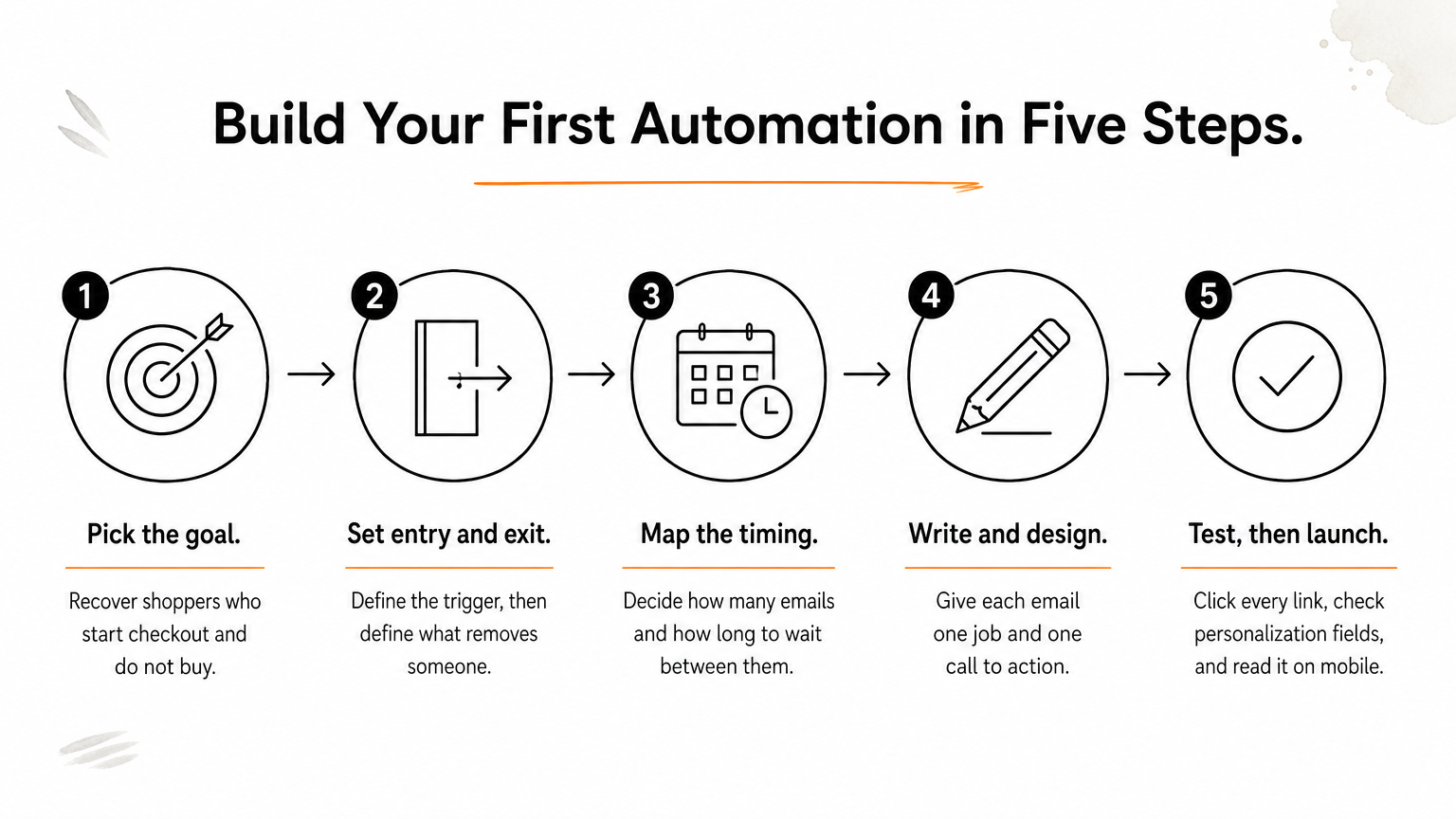
- Pick the goal. Write it as one sentence, such as "Recover shoppers who start checkout and do not buy."
- Set the entry and exit rules. Define the trigger, then define what removes someone. A cart reminder must stop the moment the person orders.
- Map the timing. Decide how many emails you need and how long to wait between them. A welcome series often runs three to five emails over a week or so.
- Write and design the emails. Each email should have one job and one call to action, and it should sound like your brand.
- Test, then launch. Enter yourself as a test contact, click every link, check that personalization fields fill in, and read it on mobile.
Chromex follows a similar order in client work. After an audit in days 1 to 5, we build the 8 core automated sequences and the sign-up form in days 5 to 15, then add campaigns around them.
Where AI fits in
AI now helps with the busywork: drafting subject line options, picking send times per contact, and suggesting product recommendations. These features save time, and they work best when you give them a clear goal and good data. You still own the strategy, and you should read every AI draft before it runs automatically to your whole list.
Build the rule once, define who it should stop for, and test it like a customer before it touches your list.
Email automation examples you can copy
The most useful email automation examples map to obvious moments in the buying journey: signup, cart, purchase, and silence. Start with the ones below, because each has a clear trigger and a clear payoff.
Six automations worth building first
Timing in the table is a common starting point, not a rule. Test it against your own audience.
| Automation | Trigger | Goal | Typical starting timing |
|---|---|---|---|
| Welcome series | Joins your list | Introduce the brand, drive a first order | First email immediately, then over several days |
| Abandoned cart | Adds to cart or starts checkout, no order | Recover the sale | About 1 hour, then 24 hours, then 48 to 72 hours |
| Browse abandonment | Views products, no cart | Bring back a browsing shopper | Several hours after the visit |
| Post-purchase | Order placed or delivered | Confirm, educate, ask for a review, cross-sell | Immediately, then days after delivery |
| Win-back | No opens or orders for 60 to 90 days | Reactivate or clean the list | After the inactivity window passes |
| Replenishment | Time since purchase of a consumable | Drive the reorder | Just before the product runs out |
If you only build two, build the welcome series and abandoned cart first. They catch the people closest to buying. Win-back matters later, because sending to disengaged contacts for months hurts deliverability.
A worked example: the abandoned cart flow
A good cart flow uses three emails, each with a different job:
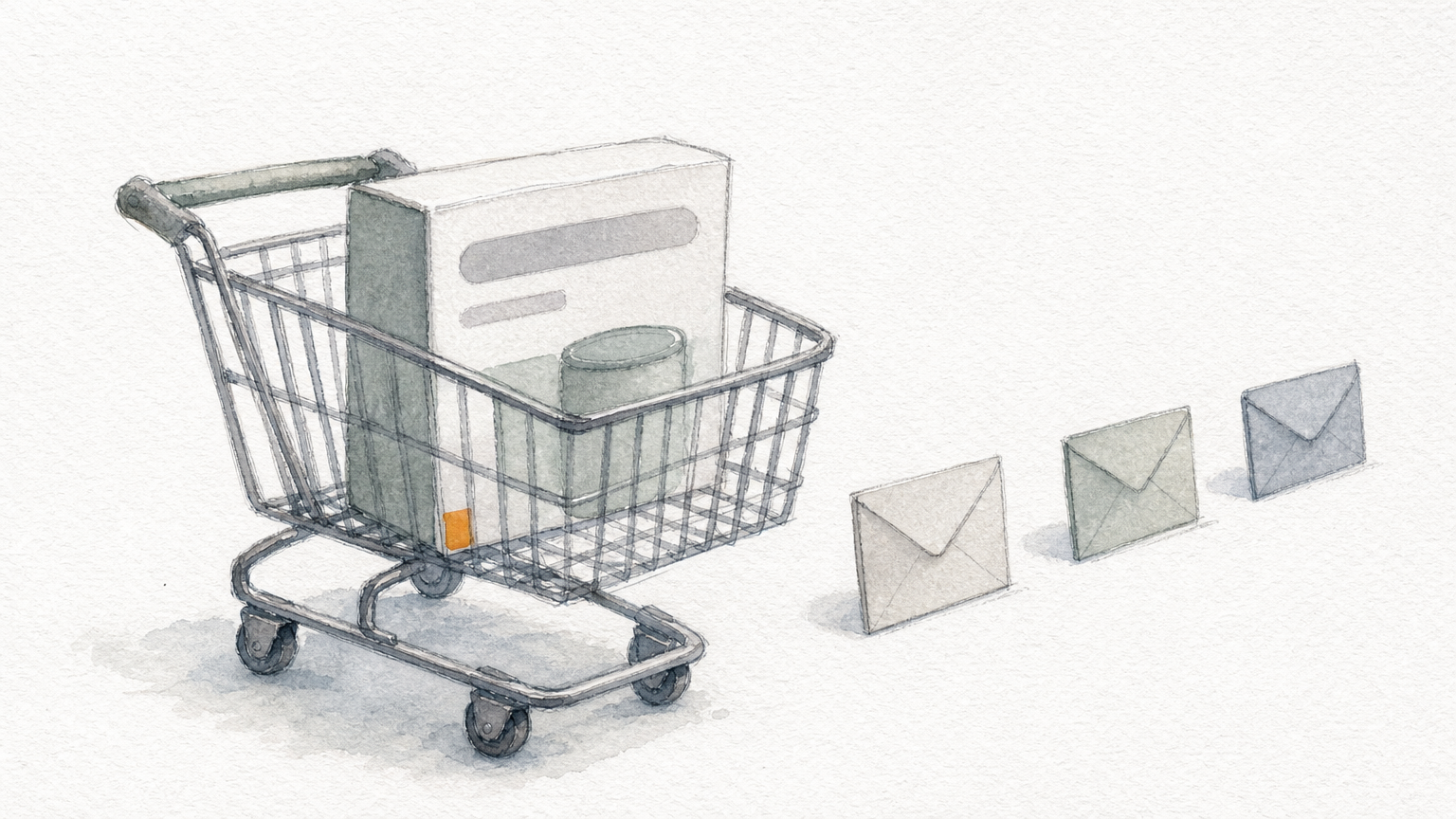
- Email 1, about 1 hour: a plain reminder with the product image, price, and a button back to the cart.
- Email 2, about 24 hours: answers the usual objections, such as shipping, returns, and reviews.
- Email 3, about 48 to 72 hours: a last nudge, with an incentive only if your margins allow it.
Now the math. Assume your store has 1,000 abandoned carts a month and an average order of $60. If the flow recovers 5%, that is 50 orders, or $3,000 a month. Over a year, that is $36,000 from an automation you build once. These numbers are illustrative, so use your own cart and order data, but the shape of the calculation holds for any store.
Automation examples beyond ecommerce
Email automation in digital marketing is not limited to stores. A software company sends an onboarding series after signup, with each email triggered by whether the user completed the previous step. A service business sends appointment reminders and a feedback request after the job. A publisher sends a welcome series that introduces the best content. The logic is identical: an event, a filter, and a message that fits the moment.
Start with the moments closest to a sale, because that is where an automated email earns its keep fastest.
Email automation vs campaigns, tools, and cost
Email automation sends messages in response to individual actions, while a campaign is a one-time broadcast to a chosen list. You need both. Tools and cost depend mostly on your list size and how much of the build you do yourself.
Automation, campaigns, and drip sequences
Related terms get mixed up, so here is how they differ:
- Campaign: a planned send to a segment on a specific date, such as a product launch or a sale.
- Automation (flow): an always-on sequence that starts when a contact triggers it.
- Drip campaign: a fixed series sent on a schedule. It is one type of automation, and it ignores behavior unless you add branches.
- Single email vs series: one triggered message, like an order confirmation, versus several linked messages, like a welcome series.
The line between campaigns and automations has blurred, because campaigns now use behavior data too. A useful rule of thumb is that campaigns carry your announcements, and flows carry your relationship with each customer in between.
Email automation tools and what they cost
Common platforms include Klaviyo, Omnisend, Mailchimp, ActiveCampaign, and Braze. For ecommerce, Klaviyo and Omnisend are the usual picks because they connect closely to store data. Chromex works on major platforms and is an official Omnisend partner. Several of these tools offer free plans with limits on contacts or sends, so you can test the basics for free.
Paid cost usually scales with how many contacts you have and how many emails you send, and automated emails normally do not cost extra beyond that. Check each platform's pricing page for current numbers, since they change. The bigger cost is the build and the ongoing optimization, whether you spend your own time or pay an agency. Chromex prices on a performance-based model instead of fixed packages.
The software is the cheap part. The strategy, copy, and testing behind each flow are what decide whether it makes money.
Mistakes to avoid and numbers to track
Most failed automations break for the same few reasons, and you can measure whether yours works with three or four numbers. Check for both after launch and again each month.
Mistakes that quietly break automations
The common ones are easy to spot once you know them:
- Missing exit rules. A shopper buys and still gets cart reminders.
- Overlapping flows. A new subscriber lands in the welcome series and the cart flow at once and gets four emails in a day.
- Set and forget. Offers, prices, and products change, and old emails keep sending outdated information.
- Ignoring consent rules. Under the CAN-SPAM Act, every marketing email needs a working unsubscribe method, a physical address, and honest headers, and you must honor opt-outs within 10 business days.
Put a frequency cap across flows so that no contact gets more than a set number of emails per day, and review each flow's content at least quarterly.
How to measure whether an automation works
Judge each flow by revenue, not opens. Track revenue per recipient, conversion rate, and click rate for every automation. Open rate is a weak signal now, because Apple's Mail Privacy Protection inflates it by loading emails automatically. Also watch unsubscribe and spam complaint rates, since a spike means the flow is mistimed or irrelevant.
To improve a flow, change one thing at a time: the subject line, the wait between emails, or the offer. Run the test long enough to gather meaningful volume, keep the winner, and test the next element. That steady cycle of small tests is how automated flows compound over months.
If an automation does not produce revenue per recipient you can point to, it needs a better offer, better timing, or both.
Start with one automation
Email automation is a trigger, a filter, and a message that fits the moment, set up once and run for every subscriber. It works because timing and relevance beat volume, and because flows keep earning between campaigns. Build the welcome series and the abandoned cart flow first, add exit rules, cap your frequency, and judge results by revenue per recipient.
If you would rather have experienced marketers build and tune this for your store, talk to Chromex about your automated flows. We start with an audit of what you have, build the core sequences, and keep testing from there.